


When this guide applies
Your provider enters a timesheet in the TTS or the ESP. You can then review and approve it by phone. There are two ways to start. The TTS calls you to say a timesheet is ready, or you call (833) DIAL-EVV or (833) 342-5388 yourself.
Before you call
- Have your 7-digit case number ready.
- Know your 4-digit passcode. Keep it secure and do not share it with anyone.
- Answer the prompts quickly. If you wait too long, the TTS may end the call and you must call back and start over.
What you hear
For each day, the TTS says the date, hours worked, minutes worked, start time, start location, end time and end location. You can review each day, or key ahead to hear the total hours for the pay period.
When you approve
Before you approve, you listen to this declaration: "I declare that the information on this timesheet is true and correct. I understand that any false claim may be prosecuted under Federal and State laws and that if convicted of fraud, I may also be subject to civil penalties." You then enter your 4-digit passcode and press # to sign.
You can ask for a printed copy of the timesheet to be mailed to you after it is processed.
When you reject
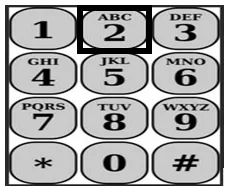
If the timesheet has wrong information, press 2 to reject it. It goes back to your provider to correct. Your provider must send it to you again for approval.
Reminders
- The time between Start Time and End Time may not match the actual hours worked for a day.
- Your provider is paid for the number of authorized hours they enter in the Hours Worked section.
- If you have more than one provider, their start and end times may overlap on the same day.
- Hours worked cannot be more than 24 hours for one day.
- Providers have separate timesheets if you have both IHSS and WPCS.
Source: IHSS Telephone Timesheet System, Approving and Rejecting Timesheets, Revised 06/2023.