
Is this your guide?
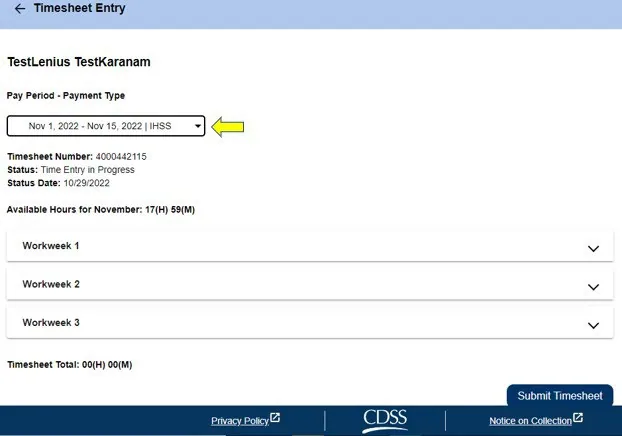
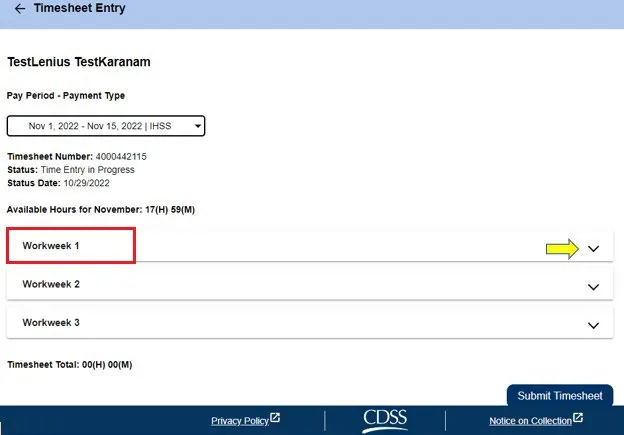
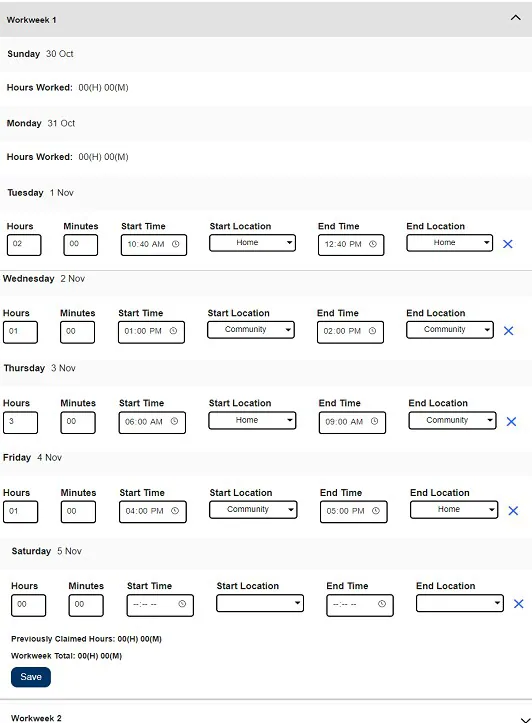
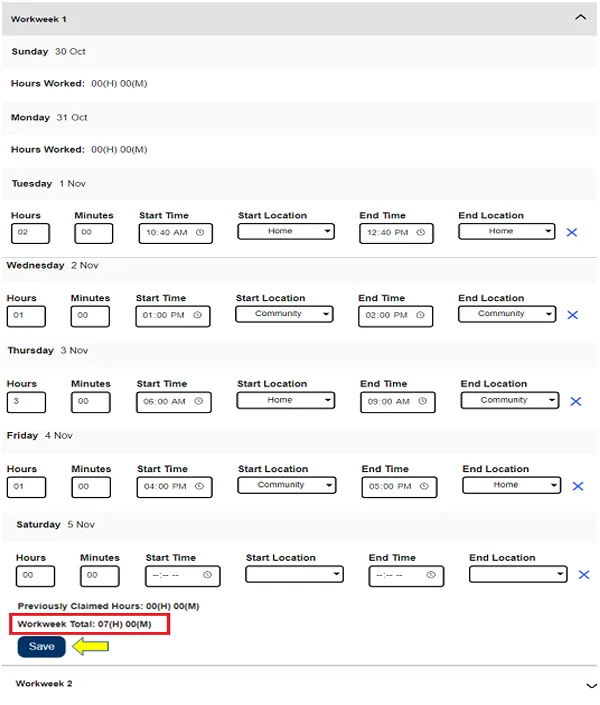
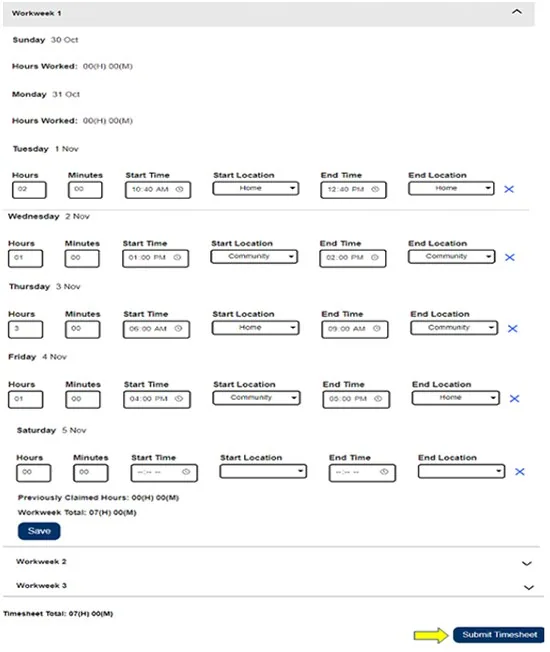
Non-live-in providers do not live in the same household as the recipient they work for, and have not self-certified as live-in. You must complete these fields on your timesheet: Start Time, Start Location, End Time, End Location and Hours Worked.
What each field means
- Hours Worked: the hours and minutes you worked that day.
- Start Time: the time you begin providing services that day.
- Start Location: where the first service is provided that day (your check-in location).
- End Time: the time the last service is completed that day.
- End Location: where the last service is completed that day (your check-out location).
Home or Community
- Home: services were provided in the recipient's home.
- Community: services were provided outside of the recipient's home.
You are paid for hours worked
Providers are paid for hours worked, not the time between check-in and check-out. Check-in and check-out information from the ESP or the IHSS EVV Mobile App fills in on your electronic timesheet. You can update and correct your timesheet before you submit it.
Messages you may see
All fields need an entry for each day you enter. The portal shows a message if you make an error. For example: "Hours entry cannot be greater than 24," "Minutes entry cannot be greater than 59," or "Hours worked cannot be greater than time at location." Click Save after each workweek.
Submitting early
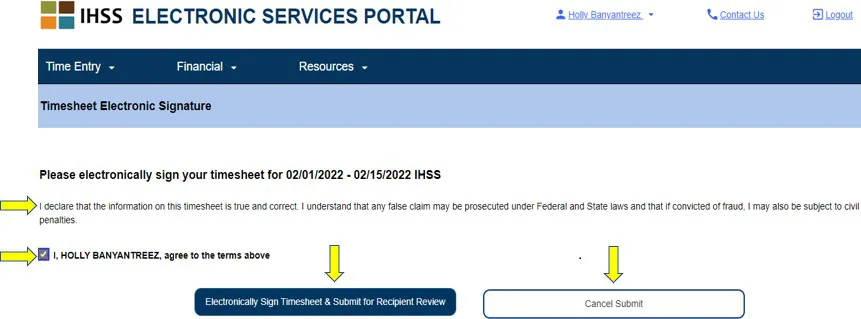
If you submit before the end of a pay period, a pop-up message says the timesheet will be processed on the first business day of the upcoming pay period.
If you find a mistake after you submit
You may still be able to fix it if your recipient has not approved the timesheet yet. Ask your recipient to reject the timesheet for that pay period. You then get an email saying you can update and send it again online.
Source: ESP Non-Live-In Provider Time Entry, Revised 10/2026.